
















Onyx Boox Go 6: Two-minute review
The Go series is Onyx’s latest Boox range of ereaders and e-paper writing tablets, with the Boox Go 6 being the newest – and smallest – member. It was released a couple of months after the first two Go series devices, giving Onyx time to fix the software issues I had highlighted in my Boox Go Color 7 review. And given how much I like the Boox Go 10.3 as a writing tablet, I had high expectations from this 6-inch entry-level ereader.
Its design doesn’t disappoint at all, with a slim, compact and lightweight body that makes it very portable indeed. Despite this light build, it still manages to feel quite robust. It also uses the latest E Ink Carta 1300 screen that makes reading a far superior experience over the Amazon Kindle (2024), and can easily hold its own against the Kobo Clara BW and the Amazon Kindle Paperwhite (2024), both of which use the same display. Plus, having a microSD card tray to expand the 32GB internal storage if you need more space is a bonus. And that’s where the positives end for me.
While it’s adequate as an ereader, Onyx hasn’t quite taken full advantage of that fabulous display because ghosting is still a problem on Boox devices, even though Amazon has seemingly found a way to completely eliminate this issue in its 2024 Kindles.
Then there are the software and performance woes. To be fair to Onyx, my issue with the unlinked Fonts folder has been rectified – you no longer need to manually create a separate folder within the Storage tab to make third-party fonts work – but I ran into other issues instead.
For starters, while I can connect to my Google Drive account, during my testing, files couldn’t be transferred wirelessly as it wouldn’t give me access to anything other than the existing Onyx folder from previous Boox devices. As a Mac user, I couldn’t even use a wired connection to move ebooks onto the Go 6 as only Windows machines register the Boox tablets as external devices and, despite OTG (USB on-the-go) support and the device reading my external hard drive, I still couldn’t move my files. Thank goodness for BooxDrop!
I will admit that the Boox Go 6 powers on or wakes up much quicker than any Kindle or Kobo I have tested (even the latest ones), but page turns are rather slow. I found that pages with images on them can take over a second to flip over. While most users won’t necessarily be reading graphic novels, comics or history books with image plates, it’s still sluggish compared to the competition. Even battery life is disappointing here.
I’m also quite miffed that Onyx has chosen to use Android 11 as the Go 6’s operating system when the other devices in this series run on Android 12. And while not really a deal breaker, there’s no waterproofing here either.
As much as I admire Onyx for churning out ereaders and writing tablets every few months, I think the company ought to slow down to perfect the performance of its ereaders. It seems to be able to do that for its writing tablets, so why not its basic reading devices too?

Onyx Boox Go 6 review: price & availability
- Announced August 2024
- List price: $149.99 / €169.99 / AU$279
- Available now directly from the Boox Shop and select third-party retailers
Compared to Kindle or Kobo, Boox devices have always been a little on the expensive side. The Boox Go 6 is no exception, listed for $149.99 / €169.99 (about £143) / AU$279 at the time of writing. That’s significantly more than the equivalent Kindle or Kobo.
The Amazon Kindle (2024) costs $129.99 / £104.99 / AU$199 sans ads on the lock screen, although you only get 16GB of storage (half that of the Boox Go 6) and it uses the older E Ink Carta 1200 screen. On the other hand, the Kobo Clara BW – which also only comes with 16GB of storage – will set you back $129.99 / £119.99 / AU$239.95 at full price, but it boasts the E Ink Carta 1300 display and is IPX8-certified waterproof, which the Go 6 isn’t. It also happens to be repairable.
In fact, the Boox Go 6 is only marginally cheaper than the 7-inch Amazon Kindle Paperwhite (2024), which costs $179.99 / £159.99 / AU$299 for the version without ads and 16GB of storage, but you get waterproofing and a larger Carta 1300 screen that has no performance issues.
• Value score: 3 / 5

Onyx Boox Go 6 review: specs
| Display type: | E Ink Carta 1300 |
| Screen size: | 6 inches |
| Resolution: | 300ppi |
| CPU: | 2GHz octa core Bengal-IOT |
| Frontlight: | Warm and cold |
| Storage: | 32GB (expandable) |
| Battery: | 1,500mAh |
| Speaker: | None |
| Water protection: | None |
| Software: | Android 11 |
| Connectivity: | Wi-Fi (2.4GHz + 5GHz); Bluetooth 5.0 |
| File support: | 20 document; 4 image; 2 audio |
| Dimensions: | 148 x 108 x 6.8 mm (5.8 x 4.3 x 0.27 inches) |
| Weight: | 146g (5.15oz) |
Onyx Boox Go 6 review: Design & display
- Very sharp and clear 6-inch E Ink Carta 1300 display
- Robust build quality with microSD card tray
- Lacks waterproofing
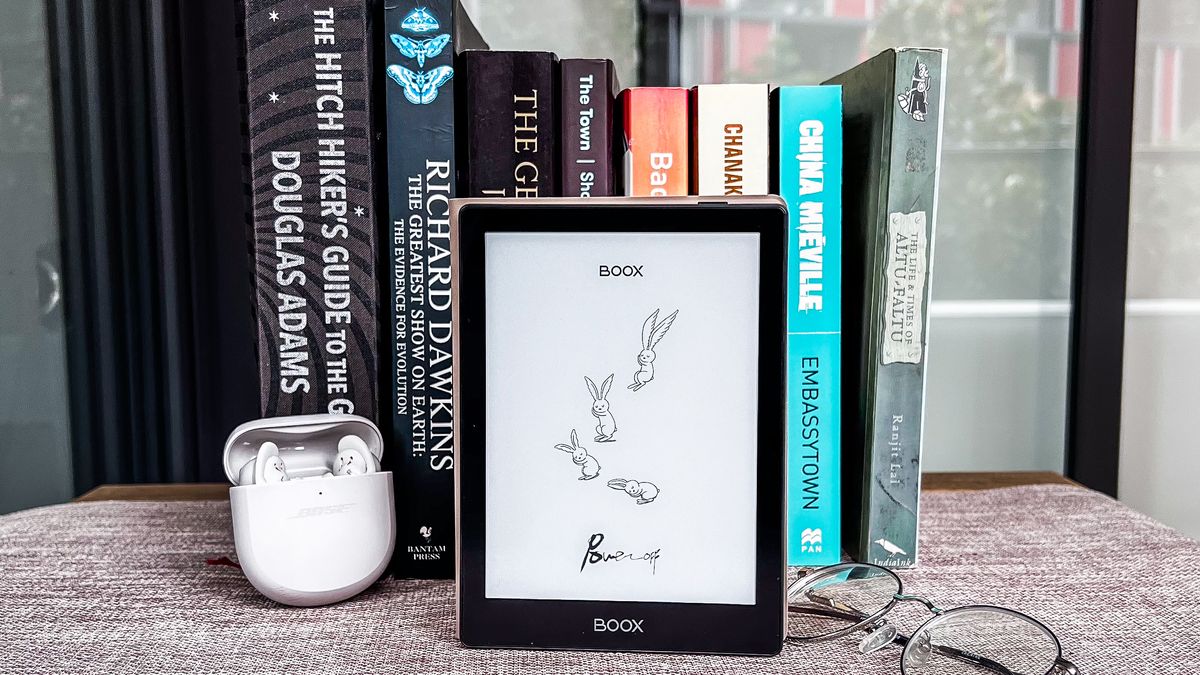
The one thing I’ve always been impressed by is the design of the Boox devices – they all look premium, and the Boox Go 6 is no exception. Despite being made from plastic, the black chassis appears metallic on the front – something Amazon and Kobo ought to learn to do – and, despite being the same thickness as the 2024 base Kindle, it feels a lot more solid in the hand… and much more secure too. That doesn’t imply the rear panel is textured – it’s a matte finish compared to the shiny front, but it attracts every single fingerprint, far more than any other ereader I’ve had the joy of using. Thankfully Onyx makes an optional sleepcover (identical to the one used with the Onyx Boox Poke 5) to keep the body smudge-free.
The only embellishment on the Go 6 is the Boox branding on the front and rear. The former is in grey printed on the large lower bezel, while the latter is embossed black on black. The power button is on the right corner of the top edge, and you’ll find the USB-C port, microphone and microSD card tray on the bottom edge. There are no speakers here, like you’ll find on some other Boox devices and that’s a good thing – I’ve never found the sound to be nice enough to use anyway.
While it looks very much like the Boox Poke 5, it’s lighter at 146g compared to 160g, which also makes it a touch lighter than the latest edition of the base Kindle (158g) and the Kobo Clara BW (174g).
Image 1 of 2


This lightweight body houses what is arguably the best e-paper screen that E Ink (the company that supplies the displays to ereader makers) has made. And it makes reading a lovely experience. Everything is displayed sharp and clear, with very good contrast. However, compared to the Kindles released in 2024, ghosting remains a major problem on Boox devices, which tells me optimization isn’t…well, optimal.
Like all current Boox devices, the frontlight is adjustable for both brightness and temperature. This makes the display comfortable to use in any environment, whether indoors or out, and even at night when yellow light can reduce eye strain.
Also like the Boox Poke 5, the Go 6 also misses out on any kind of waterproofing, which is a shame as it’s more expensive than the Kobo Clara BW, which does get you some security from accidental dunks in the kitchen sink, bath or pool. That said, waterproofing doesn’t seem to be too important to Onyx as even the Go Color 7 is listed as being just “splashproof” (with no rating provided).
• Design & display score: 4 / 5

Onyx Boox Go 6 review: Software
- Runs Android 11 – other Go series devices run on Android 12
- Slightly more streamlined UI than older Boox devices
- AI Assistant app is superfluous
I have to hand it to Onyx for trying to simplify the user interface on the Boox Go 6. There are fewer customization options in Settings as compared to older Boox ereaders, which makes it a little easier to use. Despite that, if you’ve never used a Boox device before, you’ll likely still need a little time to wrap your head around some of the settings. Other important ones, though, like for the library, are still hidden away.
The initial setup is also annoyingly complicated when it really doesn’t need to be. While you just have to follow the on-screen instructions, there are too many pop-ups, and being asked to set up Gestures even before you log in is unnecessary. You’ll also need to accept Onyx’s user agreement and privacy policy twice before you can connect to your Wi-Fi network – surely once would do. I was even presented with the keyboard audio recording pop-up before the full setup was complete, not when I needed to use the keyboard for the first time. These little bits and bobs are useful, I understand, but can be set up later rather than at the startup process.
Image 1 of 2


One thing I’m really pleased about is Onyx fixing one of the software issues that has plagued Boox devices from the start – having to create a new fonts folder within Storage to make third-party sideloaded fonts work. The existing Fonts folder has now been linked correctly and that extra step is no longer needed.
However, I’m surprised the company chose to use Android 11 as the OS, rather than the newer Android 12 that’s running on the other two Go series devices. Admittedly it’s a perfectly acceptable choice for an ereader’s operating system, but disappointing nonetheless.
As with all Onyx devices, you can choose any of the five tabs as your home screen via System Display in the Settings tab: Library, Store, Storage, Apps or Settings. These are accessible at the bottom of the screen. Personally, I prefer Apps or Settings as my home screen as I find the library can tend to look a little messy, but that’s just me.
Apps is where you will find all the native applications, including a browser, the Google Play Store and the AI Assistant. While I find most of the apps useful, the last one is rather superfluous. You can use the built-in AI to write a short story or start a simple conversation, but I really found no need to use it on a basic ereader. In fact, I thought it was gimmicky on the Boox Go Color 7 too and I didn’t take any advantage of it on the Go 10.3 either.
Image 1 of 2


The bookstore isn’t going to be much use to most readers as all you can find are classics and titles available in the public domain. However, you can purchase content via the browser or by installing the Kindle or Kobo apps, but then you will need to use the respective apps to read or listen to the content you purchase. These will not be added to the device’s library.
You will need to sideload titles if you want to use the native library application. Transferring files to the Go 6, in theory, can be done both wirelessly and via a USB-C cable plugged into your computer, although I ran into trouble in both cases. I’ve previously linked my Google Drive account to transfer files to the other Boox devices I’ve tested but, this time, although I could access Drive, it only presented me with my existing Onyx folder that had notes and files from older devices, nothing else. Even after moving my ebooks folder to within my existing Onyx subfolder within Drive, I was still unable to see it. Multiple restarts of the device didn’t help, neither did a full factory reset. Which meant I couldn’t download any ebooks I had stored on the cloud. As a MacBook user, I’ve found that no Boox ereader gets registered, so there’s no way for me to use a wired connection either.

There is OTG support here, which allows you to plug an external storage device directly into the Go 6 to access files. In my case, I tried both the Samsung T5 portable SSD and the T7 – while they registered as USB-C connected devices on the Go 6 and I can view the files, I was unable to transfer any of them, as has been the case previously on all other Boox tablets I’ve used.
I had to rely on Onyx’s own BooxDrop application, which allows me to use a web-based platform to ‘push’ files onto the ereaders for a wireless transfer. It’s not a bad way to do things, but when there are easier options, I’m saddened that bugs and software glitches don’t allow them to work as expected.
• Software score: 3 / 5

Onyx Boox Go 6 review: User experience
- Easier to use but unnecessarily complicated setup process
- Screen could be better optimized
- Can have issues with wired and cloud transfers
With software bugs still plaguing Boox ereaders, the user experience, for me personally, is far from smooth, even though reading on it is wonderful. As I’ve already mentioned, the lackluster user experience begins right at the start, thanks to an unnecessarily complicated setup process that could throw off first-time users. Both Amazon and Kobo do a much smoother job of getting users set up on their new devices, so I don’t know why Onyx can’t adopt a similar approach.
File transfers also shouldn’t be as difficult as I found them to be. Sure, BooxDrop works a charm, but using a wired connection can be quick. And with no Windows machine at my disposal to use a cable to transfer files, or with OTG never having worked for me on any Boox device with support, I was hoping to use Google Drive. While that has worked for me previously, I’m not sure what happened this time round. It could be an isolated issue, but a full factory reset didn’t help, so I can’t be so sure.
Image 1 of 3


Fixing the fonts folder problem was fabulous, but then I had to restart the Go 6 three times to get the sideloaded Bookerly font to work. These are little things, but they do clock up for a user.
That said, I can’t emphasize how good the display is for reading. I think it’s better than the Amazon Kindle Paperwhite (2024), which uses the same screen. I compared them both side by side, with the same Bookerly font for the same page on the same page – the smaller screen with a tighter pixel density definitely works in the Go 6’s favor. I even compared it right beside the Amazon Kindle (2024 release), with both books covers and text looking darker and sharper. However, it doesn’t offer as much joy reading as the overall user experience isn’t as good.
While the user interface isn’t as complicated as it used to be on older Boox devices, a learning curve is still required if you’ve never used one of Onyx’s ereaders before. More so because many important settings, like those for the library (NeoReader) app, are hidden away. They’ll require a tap or two more on the top of the screen when the app is in use to bring them up, and it’s not particularly intuitive. What I really like about the Boox library app is the Floating Toolbar that can be customized for functions you use the most.
Image 1 of 2


Onyx really has the makings of a good ereader in the Boox Go 6, but until its user experience is refined and simplified, plus the software issues ironed out, it will be hard to recommend over a Kindle or a Kobo ereader.
• User experience score: 3 / 5
Onyx Boox Go 6 review: Performance
- Ghosting is still a problem
- Sluggish page turns
- Middling battery life
When it comes to overall performance, the other two Go series devices are better devices than the Boox Go 6. I was critical about the Go Color 7 and loved the Go 10.3, but sadly the Go 6 disappoints in comparison and I’m struggling to find anything positive to say here.

Where the other two Go series tablets use the 2.4GHz octa-core Qualcomm Snapdragon 680 processor, the Go 6 has an older 2GHz octa-core CPU. That shouldn’t have been an issue on an ereader, as it really doesn’t need too much processing power, but is seems to have had an effect here.
Page turns are sluggish even when only a single title is open in the library app (the library can have several tabs open). During my testing, I found that ebooks with images are particularly slow, sometimes taking up to a second to load the next page. Those with only text, though, are quicker, although at an average of 500ms per turn, they are a touch slower than what I’ve experienced on the 2024 Kindles and Kobos.
Image 1 of 2


Pages with images also suffer from significant ghosting, where a dim overlay of the previous page is visible. In fact, I encountered ghosting even when trying to sign into Google Drive when setting up the device. In comparison, the Go Color 7 was more impressive with a lot less ghosting, although this has been a major issue with other Boox devices I’ve tried.
In use, I’ve found third-party apps can crash often. Both the Kindle and the Kobo apps, while quick to open, can crash immediately after, or while in the middle of loading a title. That said, other apps like CPU X, which I have used on all three Go series tablets to determine certain specs, have worked just fine.

Another disappointment is the battery life. While it uses the same 1,500mAh capacity as the Boox Poke 5, the drain on the Go 6 is a lot more than the former. I found that the battery level drops 1% every couple of minutes when the display is on, but not being used (meaning, no titles are being read or any apps in use), which does seem excessive. And this is with the screen light set at low levels. When in use, the drain on the battery increases slightly, with about 3% to 4% dropping every couple of minutes.
That means I got no more than 2 weeks of use, reading for about 30 minutes per day with the brightness set to a low level and the system’s refresh rate set to per 5 taps. Wi-Fi, though, was always on, as was Bluetooth. Switching them off didn’t make too much of a difference during my testing. As a point of comparison, the Kobo Clara BW also uses a 1,500mAh battery and gave me about 4 weeks of use on a single charge, as did the Boox Poke 5.
Top-up time for the battery, however, is quick. Connected to a 67W wall charger via a good quality USB-C to C cable raised battery levels from 4% to 56% in 45 minutes. It was fully topped up in 1 hour and 30 minutes. Of course, charging time will be much longer if you use your computer or one of the best power banks to top up the Go 6, but if that isn’t much of an issue, I’d say the battery charging times of this ereader is the best I’ve encountered.
• Performance score: 3 / 5

Should I buy the Onyx Boox Go 6?
| Attribute | Notes | Score |
| Value | It’s expensive for a 6-inch ereader and, given its bugs and performance woes, doesn’t represent good value for money. | 3 / 5 |
| Design & display | With a robust yet lightweight build, it’s hard to fault the Go 6’s design aesthetics, although the fabulous display suffers from ghosting. | 4 / 5 |
| Software | Android’s versatility should have made this a fantastic ereader, but bugs continue to plague Boox ereaders. | 3 / 5 |
| User experience | Each little niggle might seem insignificant individually, but they clock up quickly for a lackluster user experience. | 3 / 5 |
| Performance | Slow page turns and rather quick battery drain makes the Go 6 one of the most sluggish ereaders I’ve tested. | 3 / 5 |
| Overall | It has the makings of a good ereader, if only it was simpler to use and performed better. | 3 / 5 |
Buy it if…
Don’t buy it if…
Also consider
I’d be very surprised if you’d consider opting for the Boox Go 6 after reading my review, but if you are keen on a new ereader, the three options listed below would serve you better. I’ve also included another Boox device that I think is worth considering if you want don’t want to get caught up within either Amazon’s or Kobo’s ecosystems.
| Header Cell – Column 0 | Onyx Boox Go 6 | Kobo Clara BW | Amazon Kindle Paperwhite (2024) | Onyx Boox Page |
|---|---|---|---|---|
| Price | $149.99 / €169.99 (about £143) / AU$279 | $129.99 / £119.99 / AU$239.95 | $179.99 / £159.99 / AU$299 (no ads) | $249 / €279 (about £240) / AU$419 |
| Screen | 6-inch E Ink Carta 1300 | 6-inch E Ink Carta 1300 | 7-inch E Ink Carta 1300 | 7-inch E Ink Carta 1200 |
| Resolution | 300ppi in B&W | 300ppi in B&W | 300ppi in B&W | 300ppi in B&W |
| Operating system | Android 11 | Linux-based | Linux-based | Android 11 |
| Storage | 32GB (expandable) | 16GB | 16GB | 32GB (expandable) |
| CPU | 2GHz octa-core Qualcomm Bengal-IOT | Undisclosed 1GHz chip | Undisclosed | Undisclosed Qualcomm Advanced octa-core chip |
| Battery | 1,500mAh | 1,500mAh | Undisclosed (up to 12 weeks) | 2,300mAh |
| Connectivity | Wi-Fi, Bluetooth, USB-C | Wi-Fi, Bluetooth, USB-C | Wi-Fi, Bluetooth, USB-C | Wi-Fi, Bluetooth, USB-C |
| Waterproofing | No | IPX8 | IPX8 | No |
| File support (including images and audio) | 26 | 16 | 18 | 24 |
| Speakers | No | No | No | Yes |
| Dimensions | 148 x 108 x 6.8 mm | 161 x 144.6 x 8.3 mm | 127.6 x 176.7 x 7.8 mm | 156 x 137 x 6.0 mm |
| Weight | 146g | 174g | 211g | 195g |
How I tested the Onyx Boox Go 6
- Used as a daily ereader for about 6 weeks
- Sideloaded books, music, image files and more via BooxDrop
- Changed settings to test battery life for different scenarios
- Downloaded different third-party apps via the Play Store
Image 1 of 2


While I usually sign into my existing Onyx account to sync files across devices, I took a different tack with the Boox Go 6. I set it up as a new device first, then signed into my Google account to access Drive and the Play Store. While I could use both, the former only gave me access to my Onyx folder that had notes and PDF files from other Boox writing tablets, but wouldn’t allow me access to any other folder I had (like my ebooks), and that’s despite moving my book collection into the Onyx folder. Instead, I used BooxDrop to transfer ebooks, music files and some photos to the Go 6.
As for third-party apps, I downloaded CPU X to determine what hardware was under the hood of the Go 6, as well as the Kindle and Kobo apps to access my existing library on the respective platforms.
I used NeoLibrary to read the sideloaded ebooks, used the native music player to listen to the audio files and, out of curiosity, opened the photos I had transferred in the Gallery application to see what they looked like.
I read on the Go 6 for about 30 minutes to an hour each day during the trial period, although there were a few days when I exceeded 2 hours of reading. I kept an eye on the battery life as I use it, and also altered brightness settings to see how it affected battery drain.
While I didn’t use the AI Assistant app on the Go 6, my previous experience on the Go Color 7 wasn’t particularly good enough for me to want to try it again. Moreover, I found no need to use an AI for anything while I was reading, especially since the Go 6 is more an entry-level ereader rather than an advanced one like the Boox Note series.
Read more about how we test
[First reviewed January 2025]